🔥 Limited-time offer: Enjoy up to 10% off selected karaoke bundles! Don’t miss the beat!

Close
🔥 Limited-time offer: Enjoy up to 10% off selected karaoke bundles! Don’t miss the beat!
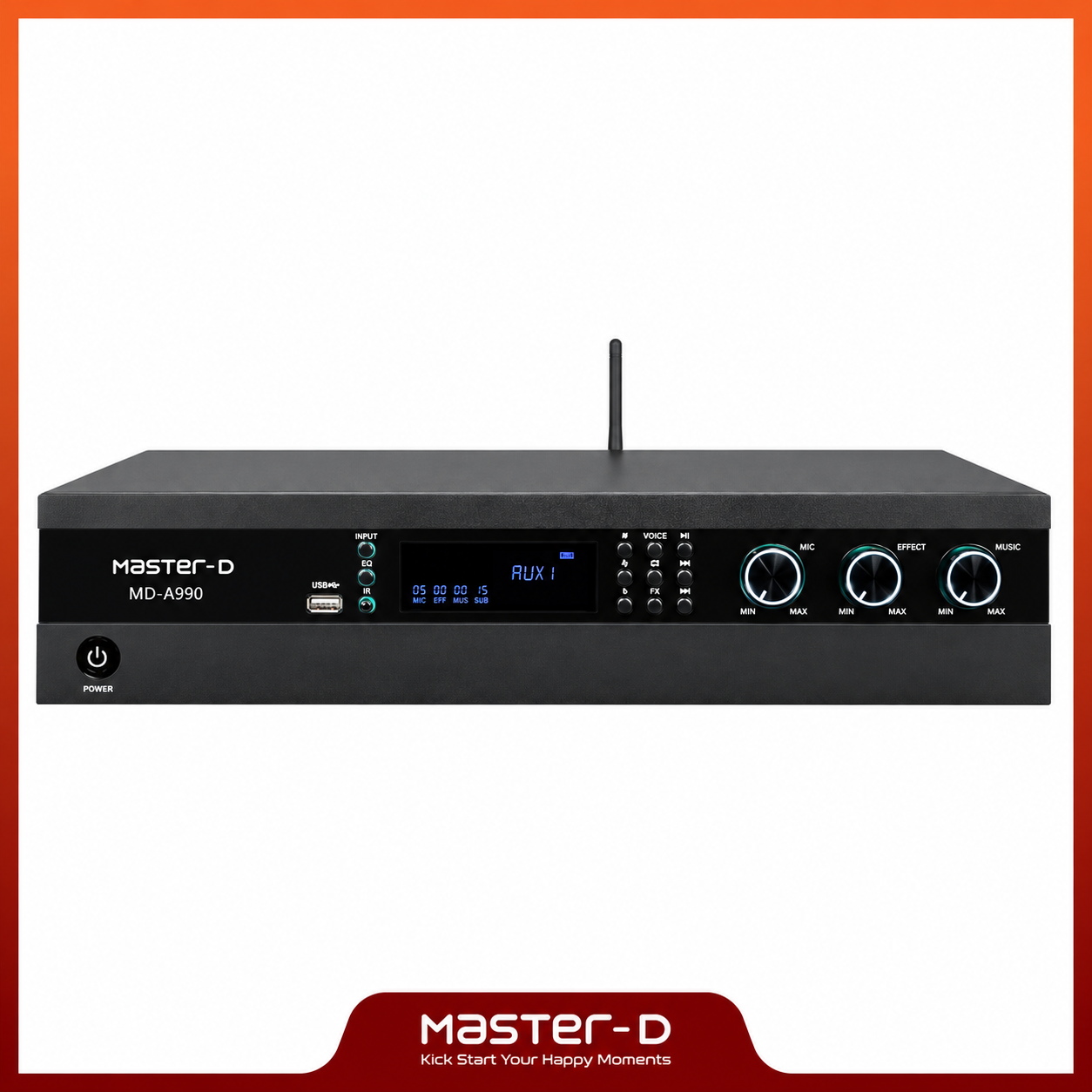
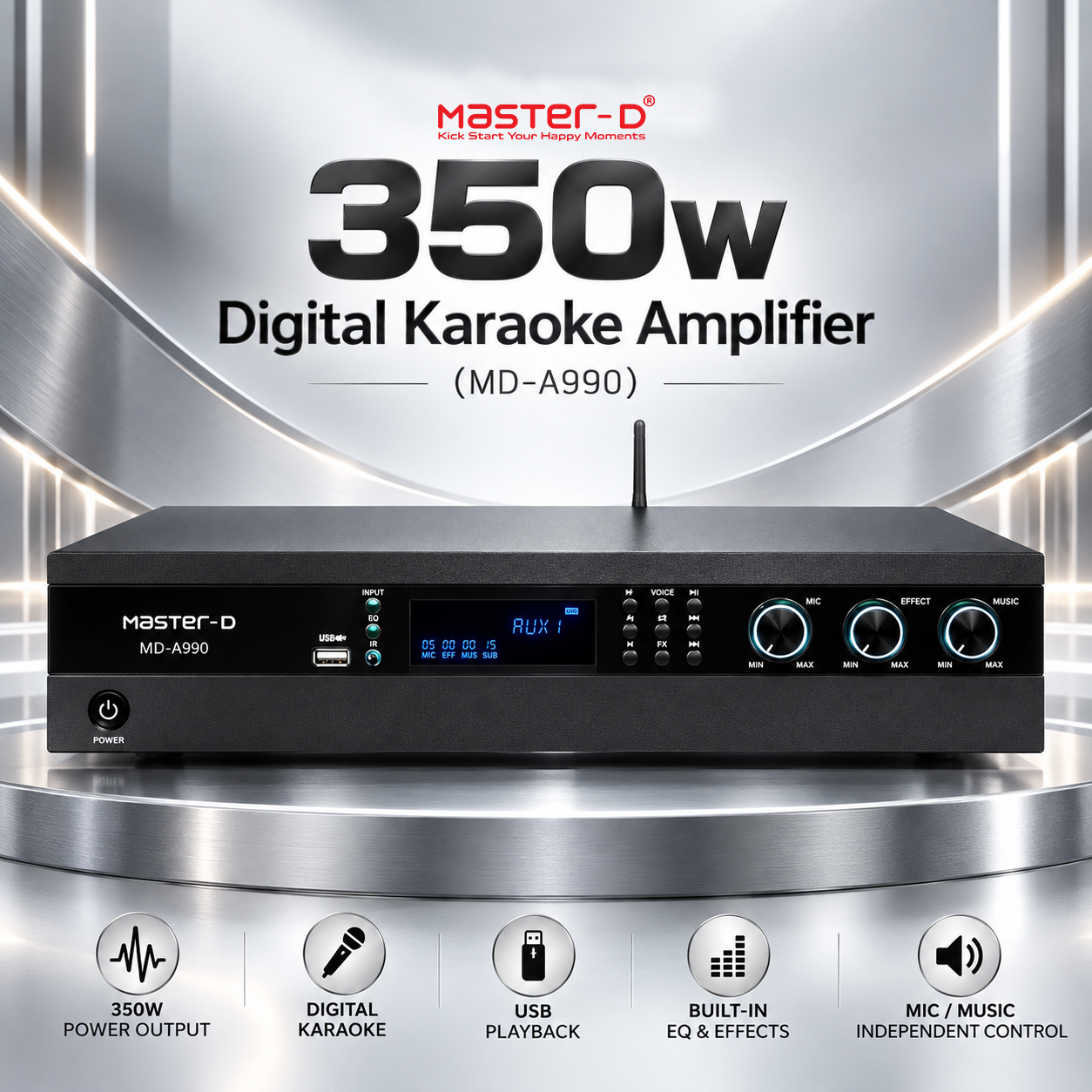
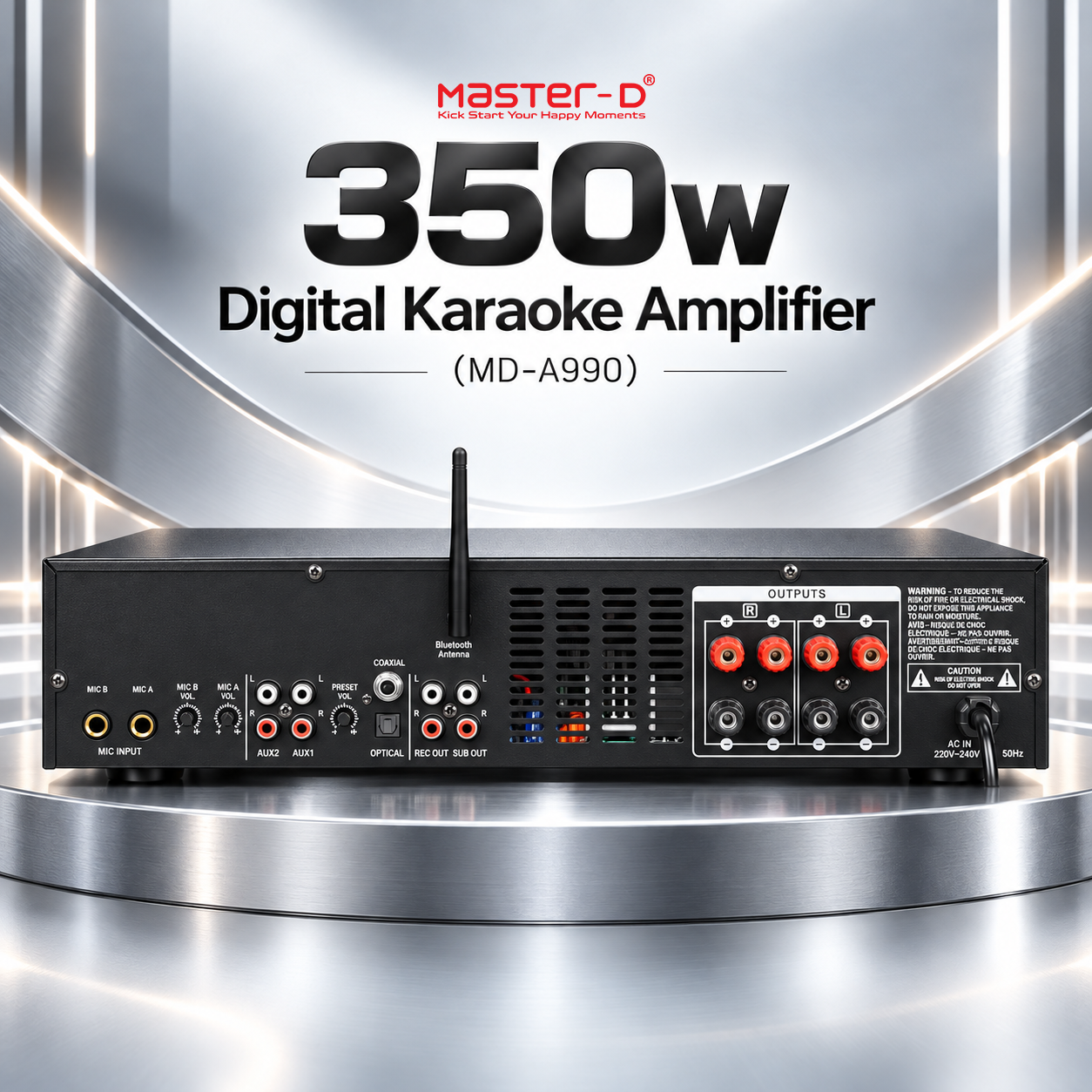
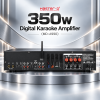
The Master-D MD-A990 is a 350W digital karaoke amplifier that brings music playback, microphone mixing, vocal effects and speaker amplification together in one component. It is designed to sit at the centre of a karaoke audio system: connect a compatible music source, connect your microphones and suitable passive speakers, then use the amplifier to balance the backing track with your singing. Whether you are building a home karaoke corner or improving an existing entertainment setup, the MD-A990 gives you a clear place to control the sound.
If you are new to karaoke equipment, think of this amplifier as the meeting point for everything you hear. Your player or phone supplies the music, your microphone captures your voice, and the amplifier combines those signals and drives connected speakers. Its digital sound controls let you adjust tone and add echo or reverberation before the sound reaches your audience. The result is a system you can tailor to the song, the singer and the room, with separate controls for the elements that matter most.
A karaoke amplifier does more than make a recording louder. It allows a live microphone signal to play alongside recorded music, so the singer and backing track can be heard together. The MD-A990 combines this mixing function with a power amplifier and digital signal processing, also called DSP. DSP is the part of the system that shapes the audio and creates effects such as echo and reverb. Having these functions in one unit makes everyday adjustments easier to understand and keeps the main controls within reach.
The MD-A990 is an audio component for use with other equipment. You will need compatible speakers, microphones and a source for your songs to build a complete karaoke system. If you want on-screen lyrics or video, those come from your karaoke player, application and display. The amplifier handles the sound. This distinction helps you choose the correct equipment and connections when planning a new setup.
Identified as a 350W digital karaoke amplifier in the product manual, the MD-A990 provides dedicated speaker outputs for a connected passive speaker system. Speaker matching remains an important part of installation: the appropriate combination depends on speaker impedance, power handling and the way the speakers are connected. Choose speakers and wiring suitable for the amplifier so the system can perform as intended.
Three prominent front-panel knobs are labelled MIC, EFFECT and MUSIC. These let you change the overall microphone level, effect level and music level independently. For example, when the backing track makes a quieter singer difficult to hear, you can rebalance the microphone and music without having to change both together. When a song calls for a more natural vocal sound, reduce the effect level while keeping the singing and music at comfortable listening levels.
The input selection includes Bluetooth, USB, optical, coaxial, AUX1 and AUX2. This gives the MD-A990 several ways to receive audio from compatible equipment. Bluetooth is useful for wireless music playback from a compatible phone or other source, while the rear Bluetooth antenna supports reception. For a fixed entertainment installation, the wired inputs provide alternatives that can remain connected and be selected as required.
The front USB port supports music playback from a USB storage device, with play/pause, previous-track and next-track controls available on the amplifier. AUX1 and AUX2 use analogue RCA connections for sources such as compatible CD, DVD or karaoke/VOD players. Optical and coaxial inputs provide digital audio connections where the source equipment offers a suitable output. Before connecting any device, check that its output type and audio format are compatible with the selected amplifier input.
This variety of inputs is useful when one system serves different purposes. You might use a dedicated karaoke player for singing sessions, then select Bluetooth for casual music listening. You can choose the appropriate input from the controls rather than rebuilding the entire audio setup each time you change activities. Available playback functions depend on the source being used.
Rear-panel MIC A and MIC B inputs provide two microphone connections. Each input has its own rear-panel volume adjustment, while the front MIC knob controls the overall microphone level. The individual adjustments help you balance two connected microphone signals before using the main microphone control to set their combined level against the music. This is useful when two singers have different vocal levels or use microphones with different output levels.
Microphone equalisation provides bass, midrange and treble adjustment. These controls shape different parts of the voice: bass affects warmth and low-frequency weight, midrange affects much of the vocal body and presence, and treble affects brightness. Small adjustments can help a voice sit more comfortably in the backing track. Begin with moderate settings and listen from the audience position, because the room and speakers also influence what you hear.
The manual lists three-band tone adjustment for both music and microphones, with bass centred at 100Hz, midrange at 2kHz and treble at 10kHz. Each band has a stated adjustment range of ±10dB. Separate tone controls matter because the changes that suit a backing track may not suit a live voice. You can adjust the music’s tonal balance while making a different adjustment to improve vocal clarity.
For example, a bass-heavy track may benefit from a small reduction in music bass while a thin microphone sound may benefit from a different vocal setting. The objective is balance, so neither the backing track nor the singing overwhelms the other. The digital display shows parameters for the functions being adjusted, helping you see the settings as you work.
The MD-A990 includes dual echo and reverberation DSP. Echo creates audible repetitions after the original sound, while reverb adds a sense of space around the voice. Used with restraint, these effects can make singing feel less dry and more comfortable. The dedicated EFFECT control makes it convenient to change the overall amount of effect during a performance.
Different songs and rooms call for different amounts of processing. A slower ballad may suit a more spacious sound, while a fast song often benefits from less effect so the words remain easy to follow. Rooms that already produce a strong natural echo may need less added processing. Adjust the effect while someone sings into the microphone, then listen to how clearly the words remain above the backing music.
Music key adjustment allows the backing track to be moved higher or lower to better suit a singer’s comfortable range. The manual describes 12 upward and 12 downward adjustment steps, with controls for raising, lowering and returning the key. This is useful when you enjoy a song but its original pitch makes particular notes difficult to reach.
The VOICE function is described in the manual as music vocal removal, allowing vocal reduction on suitable recordings. Its usefulness depends on how the recording is mixed; it should not be treated as a guarantee that every song can become a completely clean instrumental track. The controls also include single-track repeat and an anti-howling function. Anti-howling can help manage acoustic feedback, but sensible microphone placement and appropriate volume settings still matter. Avoid pointing microphones directly at speakers.
The rear panel provides left and right REC OUT connections for routing audio to compatible recording or downstream equipment. This is an audio output connection; recording requires a suitable external device. The separate SUB OUT provides a low-frequency output for integration with compatible subwoofer equipment. A suitable powered subwoofer, or an appropriately amplified subwoofer system, can be used where the connection and level requirements match.
These outputs give you options when expanding a system. You can plan a basic microphone-and-speaker setup first, then consider recording or additional bass support later. The main speaker outputs, recording outputs and subwoofer output serve different purposes, so use the connection intended for the equipment you are attaching.
The digital display provides a visible reference for adjustable functions, and the front panel brings source selection, playback, key adjustment and the main volume controls together. This layout makes common changes accessible during a singing session. The manual also documents remote-control functions for input switching, vocal removal, playback, EQ mode, transposition, microphone volume, effect volume, music volume and mute.
Remote operation is useful when the amplifier is positioned in an equipment cabinet or away from the seating area. Instead of walking back to the unit for every level change, the documented controls let you make common adjustments from your listening position. For installation planning, the manual lists chassis dimensions of 420 × 300 × 90mm in length × depth × height order. Allow additional room for rear connections, the antenna and ventilation.
The Master-D MD-A990 brings the essential audio controls for karaoke into one amplifier: multiple music inputs, two microphone connections, independent volume adjustment, separate tone controls, vocal effects and practical output options. It gives first-time users a clear starting point for building a karaoke system while offering the adjustments needed to refine the experience as they become more familiar with their equipment.
| Brand | Master-D |
|---|---|
| Model | MD-A990 |
| Product type | Digital karaoke amplifier |
| Power designation | 350W, as identified on the model’s manual cover |
| Selectable music sources | Bluetooth (BT), USB, optical (OPT), coaxial (COA), AUX1 and AUX2 |
| Microphone inputs | MIC A and MIC B; 1/4-inch TRS balanced input type listed in the manual |
| Microphone level controls | Individual MIC A and MIC B adjustments; overall front-panel MIC volume |
| Analogue music inputs | Two stereo RCA inputs: AUX1 and AUX2; unbalanced |
| Music input impedance | 30kΩ |
| Music input frequency response | 20Hz-30kHz, ±1dB, as listed under Music product parameters |
| Music input THD | 0.015% at +4dBu, 1kHz, as listed under Music product parameters |
| Music input noise | < -85dB, as listed in the manual |
| Music and microphone EQ | Bass: ±10dB at 100Hz; midrange: ±10dB at 2kHz; treble: ±10dB at 10kHz |
| Digital effects | Dual echo and reverberation DSP |
| Main front-panel level controls | MIC, EFFECT and MUSIC |
| Key adjustment | 12 upward and 12 downward steps, plus normal-key selection, as described in the manual |
| Additional functions | Vocal reduction, single-track repeat, anti-howling, play/pause, previous track and next track |
| Outputs | Left/right speaker terminals, left/right RCA REC OUT and RCA SUB OUT |
| Display | Digital display for function parameters |
| Remote-control functions | Input selection, vocal reduction, playback, EQ mode, key selection, microphone/effect/music volume, mute and microphone priority selection |
| Mains supply | AC 220-240V; rear-panel diagram specifies 50/60Hz |
| Dimensions (L × D × H) | 420 × 300 × 90mm, as listed in the manual |
Specifications are based on the supplied MD-A990 manual. Its shared technical table lists multiple power levels without identifying channel count or an RMS test standard; this listing therefore uses the model’s stated 350W designation. The rear-panel diagram and technical table differ in their frequency notation, so check the rating label on the actual unit before installation.